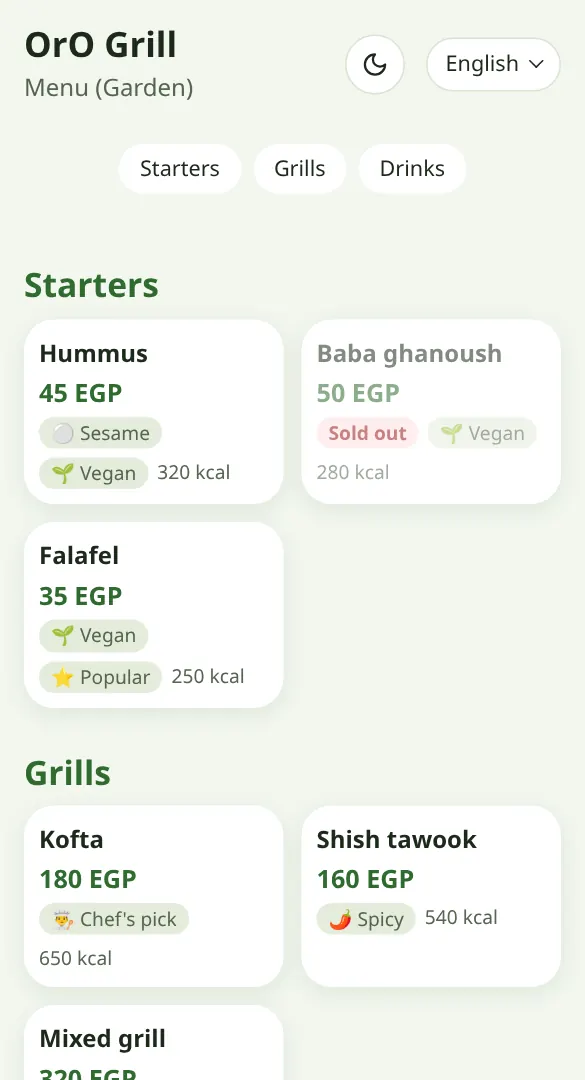
What will your restaurant or café menu look like on your guest's phone?
Change the colours and dishes and watch your menu update, moment by moment.
What you can try
- Menu designs, colour palettes, fonts and background textures
- Sample sections, dishes and prices that you can edit
- A live preview that looks like your guest's phone
- Arabic and English side by side
Publishing, a public menu link and a QR code need an account. Dish photos and AI import work here with a few free tries. Your design waits for you under a private link, so you can sign up when you are ready.
How it works
Try the Studio
Design the sample menu in your browser.
Sign up to save
Your design becomes your menu.
Publish and print the QR
Share one link and one QR code.
Questions
Do I need an account to try it?
No. Press the button, design a sample menu and see it on a phone preview. You only sign up when you want to keep it.
Will my work be kept?
Yes, for a limited time. Your design is kept under a private link, so you can come back to it, even after moving from an in-app browser to your phone's own browser. Sign up to make it a real menu.
Can I publish a menu or get a QR code without an account?
No. You can design a menu, add dish photos and read your menu from photos with AI before signing up. Publishing, a public menu link and a QR code need an account.
Does it cost anything to try?
No. Trying the Studio is free and needs no card. The prices for publishing are on the Pricing page.
Is the sample menu a real restaurant?
No. It is an illustrative example. Change the names, dishes and prices to your own.
Ready to see your own menu?